Hi there,
This month brings a big step up for External Bookings: you can create and edit them yourself, apply discount codes, and organize the products that appear in them. Here's what's new.
EXTERNAL BOOKINGS
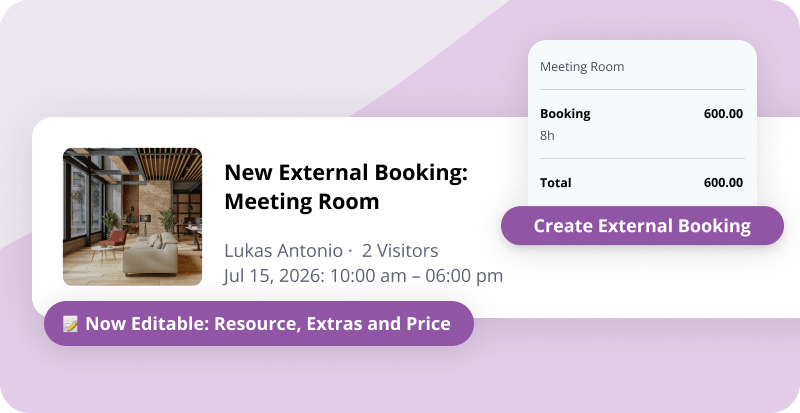
Create External Bookings as admin
You can set up an External Booking directly under Calendar » External Bookings. The form includes all the usual settings and extras, and you can email the invoice to the visitor right away. Got someone on the phone asking about a meeting room? Make the booking on the spot so you don't lose the sale.
Edit External Bookings
You can also edit an existing External Booking in full: change the resource, add or remove extras, and update anything else. That makes it easy to fix a mistake from the original booking, or to add an upsell.
Discount codes for External Bookings
Create discount codes for External Bookings and share them with visitors. They're a great way to keep your space busy during slower weeks. Choose which resources each code applies to, and visitors redeem it during checkout. Set up your first one under Products » Discount Codes.
Organize products & services into categories
Extras are now easier for members and visitors to browse when booking. Group your products into categories using the new Manage categories link on the products page. You can arrange both the categories and the products inside them manually, so they appear in the order you want. The categories show up in both the member and External Bookings booking flows. They also appear in the add charge form, the edit resource form, and the edit invoice item form.
Clearer durations at checkout
Longer bookings in the External Bookings checkout now show as weeks, days, hours, and minutes, instead of a single hour count. So a long stay reads as "1 week" rather than "168 hours".
Calendar invites for booking attendees
Emails to booking attendees now include a calendar invite (.ics), so the session lands straight in their own calendar.
PAYMENTS & INVOICING
More payment options on the invoice page
The public invoice page now offers Stripe as a payment option, in addition to PayPal. This is most useful when you generate an invoice for a visitor yourself, like after making an External Booking on their behalf.
Payment methods at sign-up
We fixed a case where restricted payment methods could appear during member sign-up. Sign-up now reliably shows only the methods you've enabled.
INTEGRATIONS & API
Google Calendar sync improvements
Two updates to how Cobot syncs with Google Calendar:
- Calendar blockers now show up in Google Calendar as events, up to a year ahead. Changes you make in Google Calendar aren't synced back to Cobot.
- For events that occupy resources, changes you make in Google Calendar now sync back to Cobot. Moving a booking in Google moves the event and all its bookings; removing one in Google removes it from the Cobot event.
Webhooks for calendar blockers
New webhooks fire when a calendar blocker is added, updated, or removed. If you build automations with Zapier or similar tools, you can use these to trigger actions whenever your availability changes.
PERFORMANCE
Faster members list
The members list loads about twice as fast, and CSV exports are now up to 10 to 15 times quicker.
In Case You Missed It
- Booking URLs – Add a link to any booking. Learn more »
- Google Meet links – A Meet link for every booking. Learn more »
- Attendee sync – Synced both ways with Google Calendar. Learn more »
Help Us Make Cobot Better For You
Want to help us make Cobot even better for spaces like yours? Join our beta tester program! You’ll get early access to upcoming features and a direct line to our product team.
Just email support@cobot.me and let us know you’d like to be a beta tester.
See you next month!